Tap or scan · no app needed

NFC Google Review Stands, Contact Stands & Payment Stands

Custom branded perspex stands with a full colour label, an NFC chip and a QR code. Your customers tap their phone or scan the code to leave a Google review, save your business contact details or pay you – in seconds, with no app.

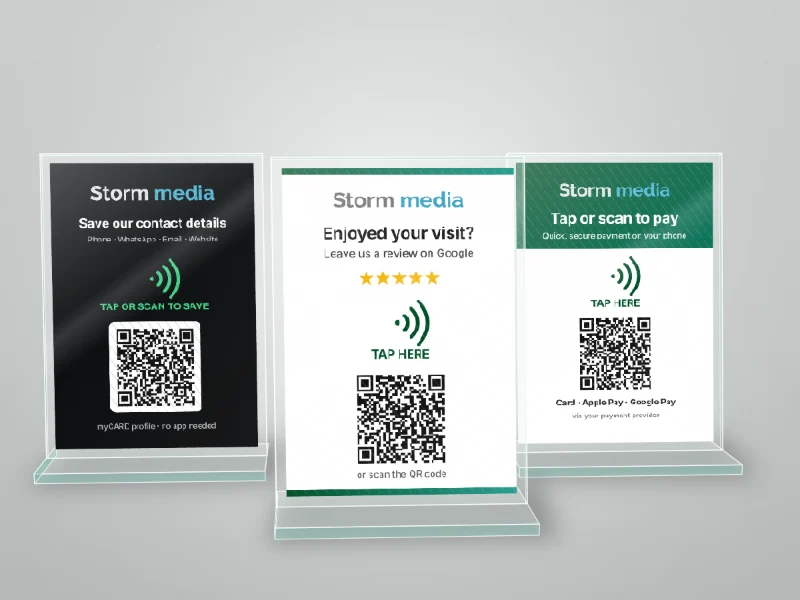
Three custom branded perspex NFC stands: save our contact details, Google review and tap to pay
Choose your stand

3 NFC stands, custom branded for your business

Every stand is perspex with a Full Colour HD UV printed label in your branding, an NFC chip for tapping and a QR code for scanning. Mix and match – many businesses use a review stand at the till and a contact stand at reception.

Stand 1 of 3Google Review Stand

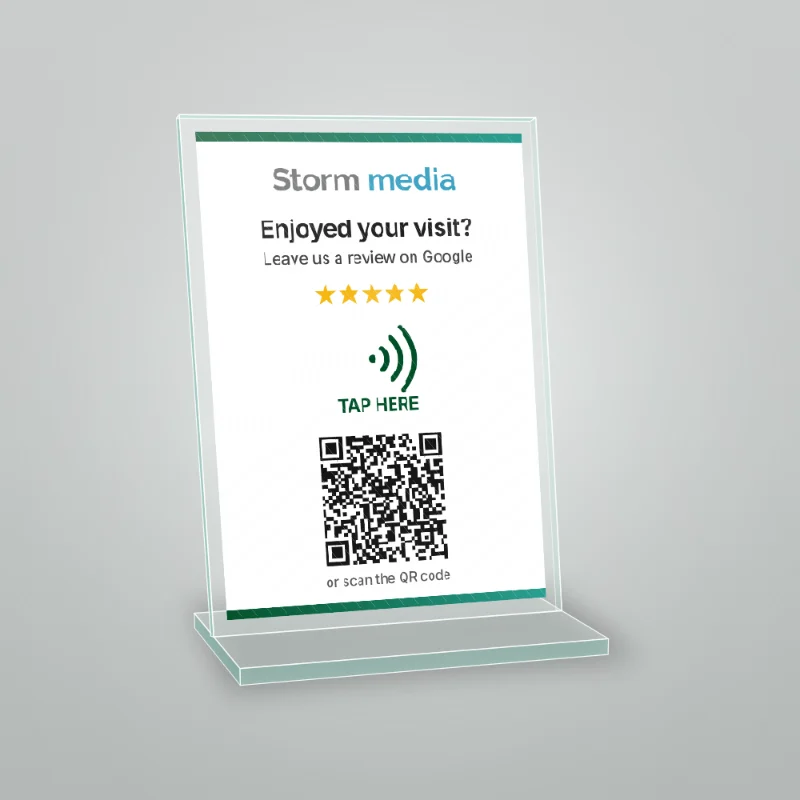
Custom branded perspex NFC Google review stand with tap here icon and QR code

Get more Google reviews while customers are still in your shop.

  • Tap or scan opens your Google review page directly – ready for a star rating.
  • Perfect for tills, tables, reception desks and waiting areas.
  • Custom full colour label with your logo, colours and message.
  • NFC chip plus QR code, so every phone can use it.
  • No app needed.

Questions? See the FAQ below or ask us for a quote.
Stand 2 of 3Save Our Contact Details Stand

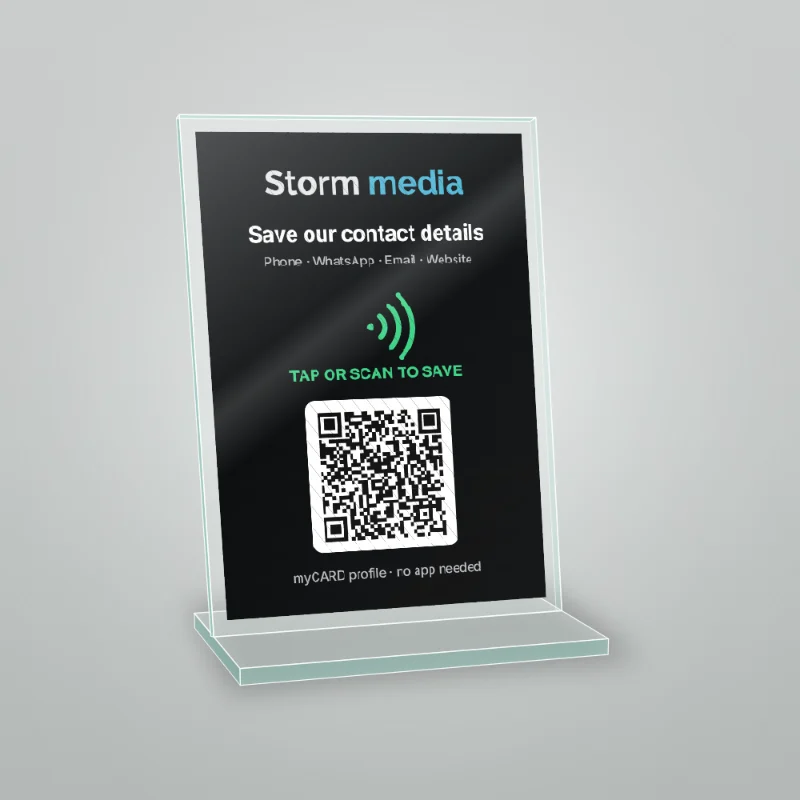
Black perspex NFC stand for saving business contact details with a myCARD QR code

Like our NFC business cards – but a stand, linked to your company's myCARD profile.

  • Opens your company myCARD profile: phone, WhatsApp, email, website, address and socials.
  • Customers tap Save contact and your business is in their phone.
  • Log in and update your details any time – the stand updates instantly.
  • Great for reception desks, showrooms, trade shows and expos.
  • NFC chip plus QR code. No app needed.

Questions? See the FAQ below or ask us for a quote.
Stand 3 of 3Payment Stand

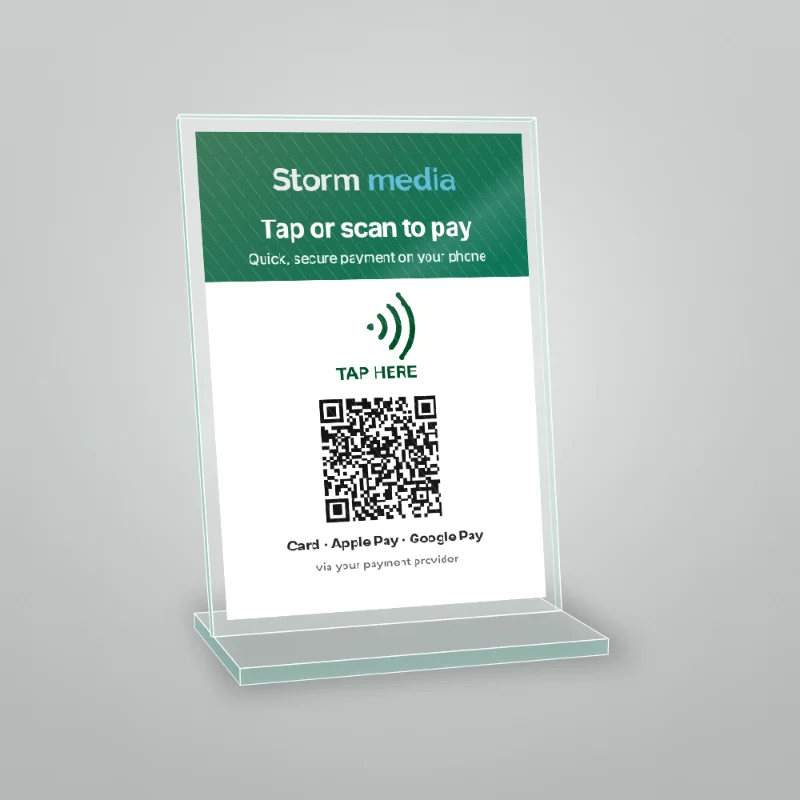
Perspex NFC tap or scan to pay stand with QR code for phone payments

Let customers pay on their own phone – tap or scan to open your payment page.

  • Links to your payment link or payment page – such as Yoco, PayFast, Payflex, Zapper or SnapScan.
  • Customers pay on their own phone with the methods your provider offers – card, Apple Pay, Google Pay, Samsung Pay or buy-now-pay-later.
  • Ideal for deliveries, markets, deposits, tips and pay-at-table.
  • Custom branded label with your logo and payment instructions.

Good to know: the payment stand opens your payment page – it is not a card machine. Check whether your link is for a fixed amount or lets the customer enter the amount.

Questions? See the FAQ below or ask us for a quote.
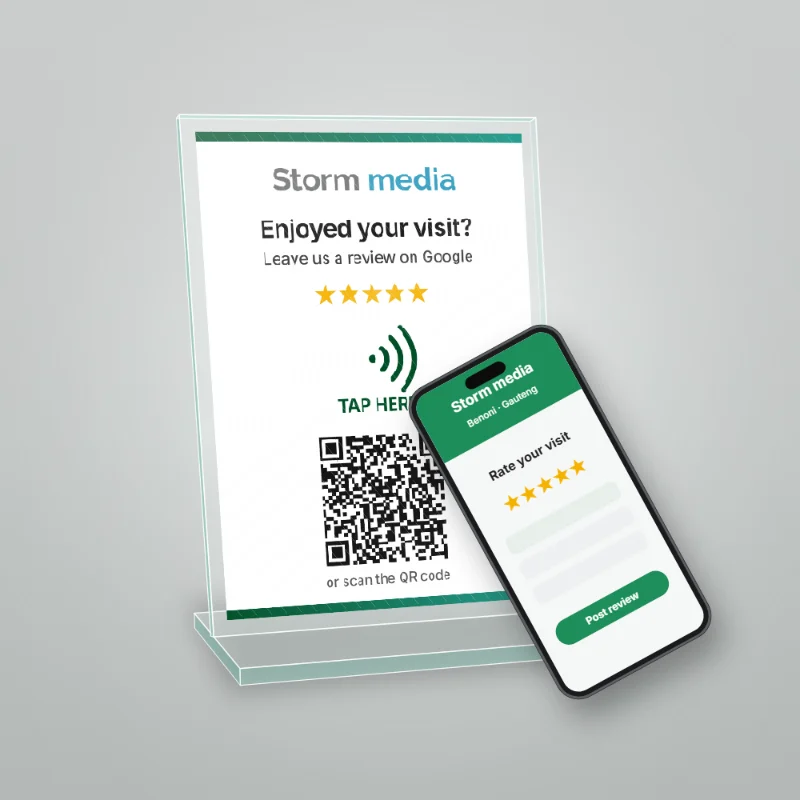
How the NFC stands work

Phone tapping a branded NFC Google review stand, with the review page open on the screen
  1. Tap or scan – the customer holds their phone on the tap icon, or scans the QR code with the camera.
  2. Your page opens – your Google review page, your myCARD contact profile or your payment page. No app needed.
  3. Done – they leave a review, save your details or pay, in a few seconds.
  • Custom branded label
  • NFC chip + QR code
  • Works on iPhone & Android
  • No app needed
  • Set up and tested before delivery
Where to use them

Made for South African businesses

  • Restaurants & coffee shops
  • Salons & spas
  • Retail shops
  • Guesthouses & lodges
  • Car washes & workshops
  • Medical & dental rooms
  • Reception desks
  • Trade shows & expos

Pair your stands with NFC smart business cards for your team – every card links to its own myCARD digital profile.

NFC Stands – Frequently Asked Questions

What is an NFC review stand?

A small perspex stand for your counter, table or reception desk with an NFC chip and a QR code inside a full colour, custom branded label. A customer taps their phone on the stand, or scans the QR code, and your Google review page opens straight away – ready for them to give you a star rating and a review.

Do my customers need an app?

No. The tap and the QR code open a normal web page in the phone's browser. Nothing needs to be downloaded – not for you and not for your customers.

Does it work on iPhone and Samsung?

Yes. All new iPhones, Samsungs and other Android phones read the NFC chip with a tap. Older phones, or phones with NFC switched off, can simply scan the QR code with the camera – it opens the same page.

What does the Save Our Details stand do?

It links to your company's myCARD profile – your logo, phone numbers, WhatsApp, email, website, address and social links. Customers tap or scan, then tap Save contact and your business is saved in their phone. You can log in and update the profile any time, and the stand shows the new details instantly.

Can the payment stand take card taps like a card machine?

No. The payment stand opens your online payment page or payment link, and the customer pays on their own phone. It does not replace a card machine. Which payment methods your customer sees – card, Apple Pay, Google Pay, Samsung Pay or buy-now-pay-later – depends on your payment provider. For example, Yoco payment links let customers pay by card, Apple Pay or Google Pay.

Which payment providers can I use?

Any provider that gives you a payment link, payment page or payment QR code – such as Yoco, PayFast, Payflex, Zapper or SnapScan. Check whether your link is for a fixed amount or lets the customer enter the amount, so it suits how you sell. Send us your link and we set up the stand to open it.

Can the stand be branded with my logo and colours?

Yes. Every stand is custom made with a Full Colour HD UV printed label in your branding – your logo, colours, call to action and QR code. We can help with the layout, or a full design is R850 ex VAT per design.

How do I order?

Request a quote and tell us which stand you need (review, contact or payment), how many, and the link it must open. We send you a quotation and a layout to approve before production.

More NFC questions answered

Get a Price on Custom NFC Review, Contact & Payment Stands

Tell us which stand you need, how many, your branding and the link it must open, and we will come back to you with a price.